 Back Pocketby Workshopr · for iPhone
Out now on the App Store
The right move for what's happening in the room.
One person won't stop talking. The energy just died. Two people are arguing. Describe it in plain words, or just say it, and Back Pocket hands you the intervention card that fits, with a quick response you can use right now.
Reading this on a laptop?Point your iPhone camera here and it opens straight to the App Store.
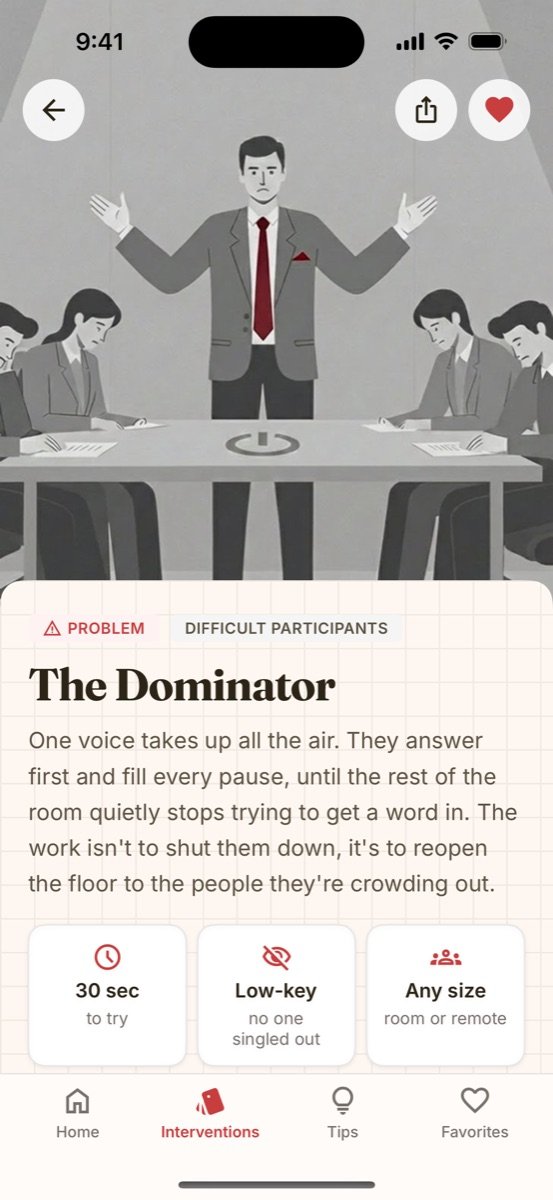
Made for the moment it goes sideways.
Type it like you'd say it to a co-facilitator.
Your facilitation first aid kit.
Built from 15 years of running rooms, and the same intervention cards facilitators already use on workshopr.io.
50 cards for the problems every room throws at you.
Dominating voices, low energy, open conflict, silent groups, side conversations. Each card gives you something to say in the next thirty seconds, then the deeper moves.
- Quick response you can use without breaking the session.
- At a glance: time to try, the approach, and whether it works in person or remote.
- Prevention, so it's less likely to happen next time.
Nearly 200 tips to browse before you walk in.
Short, field-tested tips, each with an illustration. Filter by what you're preparing for, or shuffle for something you hadn't thought of.
- Categories from opening strong to closing with impact.
- Share any tip with your co-facilitator in a tap.
Keep your go-to moves one tap away.
Heart any card or tip and it's waiting in Favorites. Build your own short deck for the session you're about to run.
- One tap to save from any card or tip.
- Works offline. The full deck ships with the app, so a bad venue Wi-Fi won't leave you empty-handed.
From “uh oh” to your next move in under a minute.
-
Describe it
Type or tap the mic and say what's going on, in your own words. No menus to dig through.
-
Get the card
Back Pocket matches it to the cards and tips that fit, best match first.
-
Make the move
Use the quick response now. Read the deeper tips at the break.
Put it in your pocket before the next session.
Back Pocket is on the App Store for iPhone. Install it once and the whole deck travels with you, signal or no signal.
Scan with your iPhone camera
or use the button below.
On your iPhone now?
Tap below to open the App Store.

Questions
Where do I get it?
On the App Store, for iPhone. Open Back Pocket on the App Store, or search for “Back Pocket Workshopr”.
I joined the early-access list. Do I need to do anything?
No. You'll get one email with the App Store link, and that's the last we'll send about it.
Is it the same as the intervention cards on the website?
Same 50 cards, built for your phone and for the middle of a session: search by describing the problem, save favorites, and use it offline. You can browse the cards on the web too.
Does it work without Wi-Fi?
Yes. The full deck of cards ships inside the app, so it works in basements, conference centers and anywhere else the signal gives up. New tips download when you're back online.
Is there an Android version?
Not yet. Back Pocket starts on iPhone. If you want it on Android, tell us; it helps us decide what to build next.